
Extend QCP using Static Resource to Bypass Character Limits
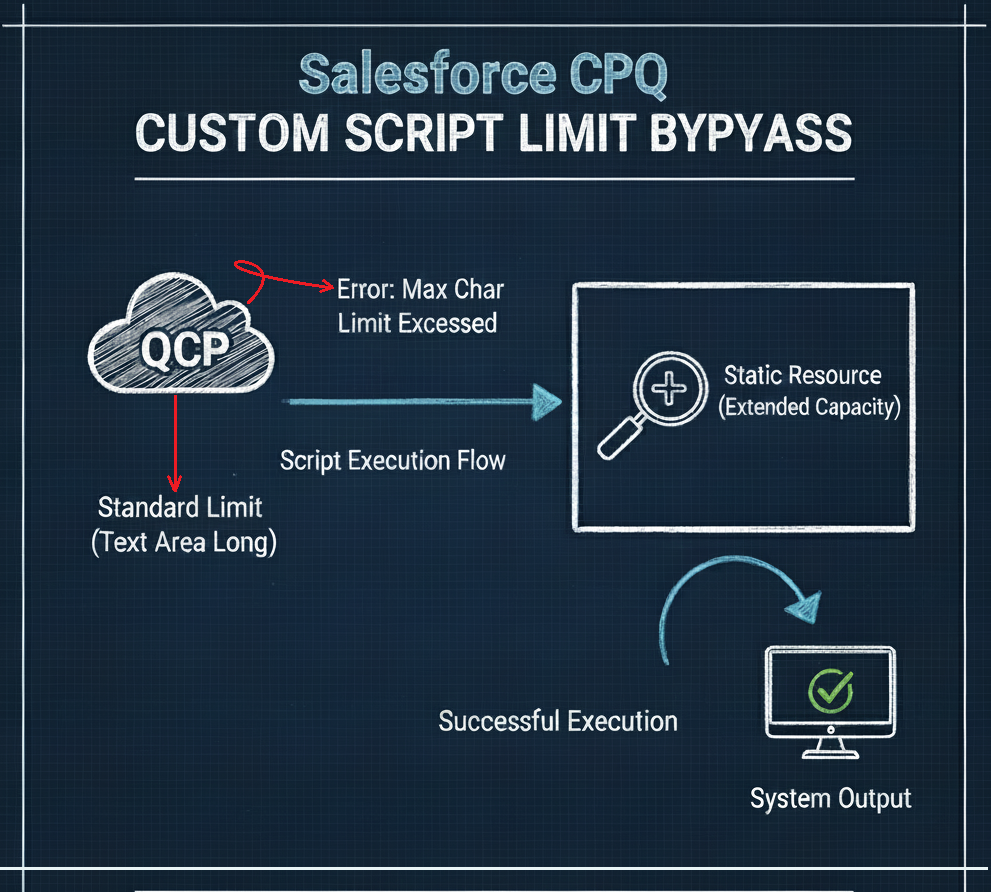
We are addressing a common limitation faced by developers and administrators when working with Salesforce CPQ’s Custom Script (QCP) functionality. This blog outlines a solution to increase the maximum allowed character limit for the Custom Script code, which is typically constrained by the standard Salesforce Text Area (Long) field type. Our approach leverages a Static Resource to store and execute the extended script, effectively bypassing the platform’s standard field size restriction.
Challenge
The Salesforce CPQ Custom Script (QCP) field, which is used to implement complex pricing and validation logic, is a standard Salesforce Text Area (Long) field. This field has a character limit, typically 132,072 characters. For large, complex CPQ implementations, this limit is often insufficient, forcing developers to overly compress code, split logic awkwardly, or abandon critical functionality. Hitting this ceiling prevents the deployment of necessary business logic and complicates maintenance.
Solution
The optimal solution involves storing the bulk of the Custom Script code within a Static Resource and then using a minimal QCP in the standard field to call this resource.
Steps:
-
- Create a Static Resource
- Create a new Static Resource in Salesforce Setup.
- Name it descriptively (e.g., qcpSourceCode or extendedQCPScript).
- Upload your entire, large Custom Script file (which can exceed the field limit) as the content of this Static Resource.
- Modify the QCP Field:
- In the standard Salesforce CPQ Custom Script field, replace your original large script with a short piece of code designed to fetch and execute the Static Resource content.
- The code will typically use an asynchronous call to retrieve the Static Resource content and then use a JavaScript function like eval() to execute the retrieved script.
- Refactor the Script:
- Ensure that all necessary QCP functions (like onInit, onBeforeCalculate, onAfterCalculate, etc.) are defined within the Static Resource file.
- The logic within the Static Resource must adhere to standard QCP best practices.
- Create a Static Resource
Code Implementation
Custom Script Code
let QCP;

export async function onInit(quoteLineModels, conn) {

    //Fetch the QCP static resource code via Apex REST endpoint
    try {
        const responseString = await conn.apex.get('/qcphandler/');
        const response = JSON.parse(responseString);
        const qcpCode = response.result;
        if (qcpCode) {
            await readQCP(qcpCode);
        } else {
            throw new Error("QCP code is not available. Check for the static resource name that should be exactly 'qcpsourcecode'");
        }
    } catch (e) {
        console.error(e);
    }
    return Promise.resolve();
}

async function readQCP(qcpCode) {
    await eval(qcpCode); // Evaluate the QCP code to load the class definition
    if (window.QCPCode !== undefined) {
        QCP = window.QCPCode;
    } else {
        QCP = globalThis.QCPCode;
    }

    try {
        QCP.test();
    } catch (error) {
        console.error("Error executing QCP.test():", error);
    }
}

export async function onBeforeCalculate(quoteModel, quoteLineModels, conn) {

    //Custom Script logic to copy Subscription Term from Quote to Quote Lines
    if(quoteModel.record["SBQQ__SubscriptionTerm__c"]){
        quoteLineModels.forEach(line => {
            line.record["SBQQ__SubscriptionTerm__c"] = quoteModel.record["SBQQ__SubscriptionTerm__c"];
        });
    }

    //Call QCP's updateQuantity method coming from the static resource
    try {
        QCP.updateQuantity(quoteLineModels);
    } catch (e) {
        console.error("Error executing QCP.updateQuantity():",e);
    }
    return Promise.resolve();
}

export async function onAfterCalculate(quoteModel, quoteLineModels, conn) {

    //Call QCP's onAfterCalculate method coming from the static resource
    QCP.onAfterCalculate(quoteModel, quoteLineModels);
    return Promise.resolve();
}
Static Resource Js File
class QCPCode{

    static test(){
        console.log('Hello from QCP Static Resource');
    }

    static updateQuantity(quoteLineModels){
        if (quoteLineModels) {
            quoteLineModels.forEach(line => {
                line.record["Before_Quantity__c"] = line.record["SBQQ__Quantity__c"];
            });
        }
    }

    // Method to be called after calculation
    static onAfterCalculate(quoteModel, quoteLineModels){
        if (quoteLineModels && quoteModel.record["SBQQ__Type__c"] === 'Quote') {
            quoteLineModels.forEach(line => {
                line.record["After_Quantity__c"] = line.record["SBQQ__Quantity__c"] + 10;
            });
        }
    }
}

if(typeof window !== 'undefined'){
    window.QCPCode = QCPCode;
}else{
    globalThis.QCPCode = QCPCode;
}
Apex Class
@restresource(urlmapping='/qcphandler/*')

global with sharing class CPQ_QCPHandler {

    @HttpGet
    global static String startQcp(){

        String responseString = '';

        try {
            String qcpSourceCode = [SELECT Body FROM StaticResource WHERE Name = 'qcpsourcecode'].Body.toString();
            QCPHandlerResponse response = new QCPHandlerResponse(qcpSourceCode, true, null);
            responseString = JSON.serialize(response);
        } catch (Exception e) {
            System.debug('Exception: ' + e.getMessage());
            QCPHandlerResponse response = new QCPHandlerResponse(null, false, e.getMessage());
            responseString = JSON.serialize(response);
        }
        return responseString;
    }

    private class QCPHandlerResponse{

        public QCPHandlerResponse(String result, Boolean success, String errorMessage){
            this.result = result;
            this.success = success;
            this.errorMessage = errorMessage;
        }

        public String result;
        public Boolean success;
        public String errorMessage;
    }
}
Results
By implementing this solution, the core Custom Script logic is moved out of the character-limited field and into a Static Resource, which has a much larger size limit (up to 5 MB).
The benefits are immediate:
-
-
- Increased Code Capacity: The effective character limit for your QCP is dramatically increased, accommodating even the largest and most complex logic.
- Easier Maintenance: Code can be maintained in a full file structure (like a standard JavaScript file) instead of a small text box, improving readability and version control.
- Cleaner Deployment: You can manage and deploy the script file independently of the CPQ Custom Script settings, potentially streamlining your deployment process.
-
This approach ensures that your Salesforce CPQ implementation can scale with your business needs without being bottlenecked by an arbitrary field size limitation.