
Salesforce and Slack Integration for Approvals: The End of Approval Delays
In today’s interconnected enterprise landscape, Single Sign-On (SSO) is no longer a luxury—it’s a necessity. SSO provides users with a secure, one-click access point to all their critical business applications, drastically improving the user experience and strengthening the organization’s security posture.
This guide focuses on the powerful combination of Salesforce, the world’s leading Customer Relationship Management (CRM) platform, and Okta, a top-tier Identity Provider (IdP). By integrating the two using the SAML protocol, we centralize identity management and enable secure, frictionless access for all users.
Challenge
1. The Core Requirement: Accelerating Approvals:
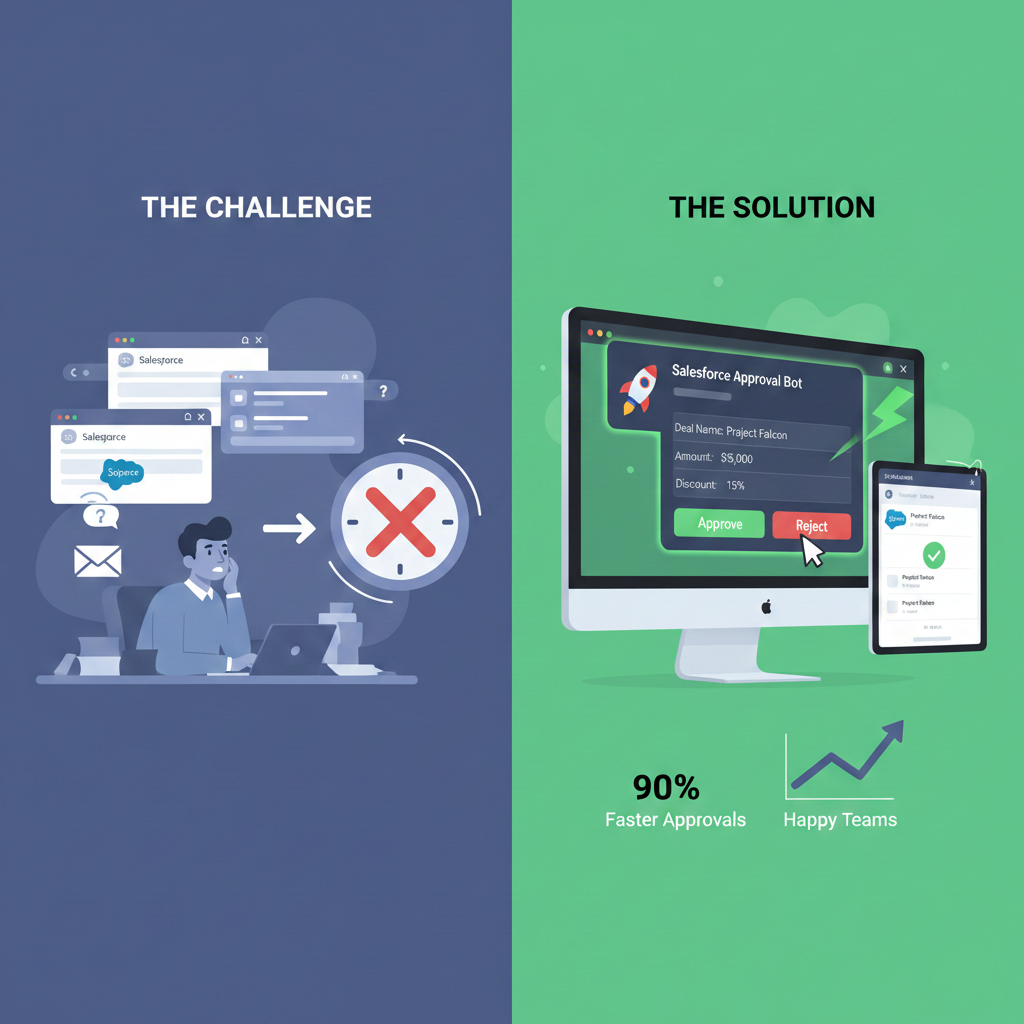
Our primary requirement was simple: Move the approval process to where our team already works and communicates.
Salesforce is the single source of truth for all business data, including the records that need approval. However, requiring users to constantly switch contexts, log into Salesforce, navigate to the correct record, review, and approve introduces friction, delays, and a risk of missed steps.
We needed a solution that would:
-
-
- Instantly alert the right approver.
- Allow the approver to act immediately (Approve/Reject) without leaving their current workflow.
- Log the decision back into Salesforce, maintaining a perfect audit trail.
-
2. Why a Custom Integration Was Needed:
Standard, out-of-the-box tools or manual processes simply couldn’t deliver the speed and seamless experience required:
-
-
- The “Email Problem”: Relying on email for approvals leads to cluttered inboxes, delayed responses, and a difficult time tracking the approval history against the original Salesforce record. Emails get lost, action is postponed.
- The “Context Switching Tax”: When a sales rep or manager is heads-down in Slack collaborating with a team, being forced to open a browser, log into Salesforce, and find the record to approve imposes a “context switching tax.” This delay compounds across dozens of daily decisions, slowing down the entire sales cycle.
- The “Information Silo”: Approvers often need key context, like the current deal amount, product tier, or discount percentage, to make a decision. Without the integration, this information is siloed in Salesforce, forcing the approver to hunt for it.
-
Summary of Components
The custom solution requires the creation and configuration of the following components in both Slack and Salesforce:
| System | Component Type | Component Name / Purpose |
| Slack | App Configuration | Approval_App (App ID, Client ID, Client Secret, Signing Secret, Webhook URL) |
| Salesforce | Site | Slack Integration Site (Public endpoint for receiving Slack interactions) |
| Salesforce | External Credential | ExternalSlackChannelNC (Used for Named Credential) |
| Salesforce | Named Credential | SlackChannelNC (Securely stores the Slack Webhook URL for Apex callouts) |
| Salesforce | Custom Object | Integration Log (Integration_Log__c) (For logging requests/responses) |
| Salesforce | Custom Metadata | Slack User Mapping (Slack_User_Mapping__mdt) (Maps Salesforce User IDs to Slack Channel IDs) |
| Salesforce | Apex Class | SlackUtil.cls (Utility class for Slack API HTTP requests and payload building) |
| Salesforce | Apex Class | SlackMessageSender.cls (Sends the interactive approval message to Slack) |
| Salesforce | Apex Class | SlackInteractiveReceiver.cls (Receives the incoming button click callback from Slack) |
| Salesforce | Apex Class | SlackPayloadProcessor.cls (Asynchronous job to process the received Slack payload) |
| Salesforce | Apex Class | RecordUpdateService.cls (Updates the approval record status and resolves the approver) |
| Salesforce | Flow | Record-Triggered Flow (Automates calling SlackMessageSender when an approval is created) |
Solution
The solution involves configuring the Slack application, setting up Salesforce, and developing the custom logic.
1- Slack App Setup:
-
-
- Slack Account & Workspace: Ensure you have a Slack account and access to a Workspace where you have permissions to create and test apps.
- App Registration: Go to api.slack.com and click “Create an App.”

- App Creation: Select “From scratch,” enter the App Name (e.g., Approval_App), and select the target Workspace.

- Retrieve Credentials: Navigate to the App Basic Information page to retrieve the App ID, Client ID, Client Secret, and Signing Secret.

- Enable Webhooks: Click on Incoming Webhooks, and then click the Add New Webhook button. Select the Workspace and App Name, click Install Approvals, and save the generated Webhook URL.


- Under the User and Bot Token Scopes section, click the Add an OAuth Scope button and provide the highlighted permission(s), and then save your changes.


- Enable Interactivity: Go to Interactivity & Shortcuts in the Slack API console.

-
2. Salesforce Configuration
-
-
- Create a New Salesforce Site
This creates a public URL for Slack to interact with your Salesforce organization.- Go to Setup → Sites.
- Create New Sites.
- Fill in details:
- Site Label: Slack Integration Site
- Active: Check the box
- Active Site Home Page: UnderConstruction
- Click Save.


- Update Request URL at Slack App
The Slack App needs the URL of the public endpoint you created.- Copy the Site URL from Salesforce.
- In Slack API site, go to the Interactivity & Shortcuts section.
- In the “Request URL” field, paste the Salesforce Site URL.
- Immediately append the endpoint path /services/apexrest/<className> to the end.
- Note: Replace <className> with your Receiver RestResource class (e.g., SlackInteractions).

- Note: Replace <className> with your Receiver RestResource class (e.g., SlackInteractions).
- The final URL should look like: https://…my.salesforce-sites.com/slack/services/apexrest/SlackInteractions
- Click Save.

- Create Named Credentials
This provides a secure way to reference the Slack Webhook URL in Apex code without hardcoding it.- Create External Credential: Go to Setup → Named Credentials → External Credentials tab. Click New.
- Label/Name: ExternalSlackChannelNC
- Authentication Protocol: Custom
- Click Save.
- Create Principals for External Credential
- Parameter Name: ExternalPrincipal
- Create Named Credential: Go to the Named Credentials tab (or click New).
- Label/Name: SlackChannelNC
- URL: Provide the webhook URL copied from the Slack App configuration.
- External Credential: Select the previously created External Credential: ExternalSlackChannelNC.
- Generate Authorization Header, Allow Formulas in HTTP Header, Allow Formulas in HTTP Body: Select True (check the box).
- Finally, your credential will look like this:

- Finally, your credential will look like this:
- Create Custom Metadata and Log Object:
- Create custom Object for integration error logs with following fields:
Object API Name: Integration_Log__c (auto-filled)
Fields:- Log_Message__c → Long Text Area (32768)
- Log_Source__c → Text(255)
- Raw_Payload__c → Long Text Area(32768)
- Record_ID__c → Text(18)
- Create a metadata for user mapping.
Api Name: Slack_User_Mapping__mdt
Fields:
- Salesforce_User_Id__c → Text(18)
- Slack_Channel_ID__c → Text(255)

- Create custom Object for integration error logs with following fields:
- Create External Credential: Go to Setup → Named Credentials → External Credentials tab. Click New.
- Create a New Salesforce Site
-
3. Apex Development:
This includes the core logic for communication and record updates.
SlackUtil.cls: Utility class for all Slack API interactions, including the postJson method for secure callouts using the Named Credential and a buildInteractivePayload method to structure the Slack message with Approve/Reject buttons.
/**

 * Utility helpers for Slack integration: endpoint constants, payload builders

 * and a single place to perform HTTP POST callouts to Slack.

 */

public with sharing class SlackUtil {


    public static final String SLACK_CALLOUT = 'callout:SlackChallenNC';


    // Lightweight response wrapper

    public class SlackResponse {

        public Integer statusCode;

        public String body;

        public String errorMessage;

    }


    /**

     * Posts a JSON payload to the configured Slack callout endpoint.

     * Used to send approval to slack channel

     * Returns a SlackResponse with status and body.

     */

    public static SlackResponse postJson(String jsonPayload) {

        SlackResponse result = new SlackResponse();

        HttpRequest req = new HttpRequest();

        req.setEndpoint(SLACK_CALLOUT);

        req.setMethod('POST');

        req.setHeader('Content-Type', 'application/json; charset=UTF-8');

        req.setBody(jsonPayload);


        try {

            Http http = new Http();

            HttpResponse res = http.send(req);

            result.statusCode = res.getStatusCode();

            result.body = res.getBody();

        } catch (Exception ex) {

            result.errorMessage = ex.getMessage();

        }


        return result;

    }


    /**

     * Used to update slack message when user hits the buttons.

     */

    public static SlackResponse postToUrl(String url, String jsonPayload) {

        SlackResponse result = new SlackResponse();

        HttpRequest req = new HttpRequest();

        req.setEndpoint(url);

        req.setMethod('POST');

        req.setHeader('Content-Type', 'application/json; charset=UTF-8');

        req.setBody(jsonPayload);


        try {

            Http http = new Http();

            HttpResponse res = http.send(req);

            result.statusCode = res.getStatusCode();

            result.body = res.getBody();

        } catch (Exception ex) {

            result.errorMessage = ex.getMessage();

        }


        return result;

    }


    /**

     * Call Slack API `users.info` via named credential to retrieve user profile information.

     * Returns the user's email address when available, otherwise null.

     */

    public static String getUserEmail(String slackUserId) {

        if (String.isBlank(slackUserId)) return null;


        try {

            String endpoint = SLACK_CALLOUT + '/users.info?user=' + EncodingUtil.urlEncode(slackUserId, 'UTF-8');

            HttpRequest req = new HttpRequest();

            req.setEndpoint(endpoint);

            req.setMethod('GET');

            req.setHeader('Content-Type', 'application/x-www-form-urlencoded');


            Http http = new Http();

            HttpResponse res = http.send(req);

            if (res.getStatusCode() == 200) {

                Map<String, Object> resp = (Map<String, Object>) JSON.deserializeUntyped(res.getBody());

                if (resp != null && resp.containsKey('ok') && (Boolean)resp.get('ok')) {

                    Map<String, Object> user = (Map<String, Object>) resp.get('user');

                    if (user != null) {

                        Map<String, Object> profile = (Map<String, Object>) user.get('profile');

                        if (profile != null && profile.get('email') != null) {

                            return (String) profile.get('email');

                        }

                    }

                }

            }

        } catch (Exception ex) {

            System.debug('SlackUtil.getUserEmail error: ' + ex.getMessage());

        }


        return null;

    }


    /**

     * Build an interactive payload with Approve/Reject buttons. Uses the recordId string in the button "value" so the receiving side can parse it.

     */

    public static String buildInteractivePayload(String channel, String recordId, String text) {

        String yesValue = recordId + '_APPROVE';

        String noValue = recordId + '_REJECT';


        Map<String, Object> payload = new Map<String, Object>{

            'channel' => channel,

            'text' => text,

            'blocks' => new List<Object>{

                new Map<String, Object>{

                    'type' => 'section',

                    'text' => new Map<String, String>{'type' => 'mrkdwn', 'text' => '*' + text + '*'}

                },

                new Map<String, Object>{

                    'type' => 'actions',

                    'elements' => new List<Object>{

                        new Map<String, Object>{

                            'type' => 'button',

                            'text' => new Map<String, String>{'type' => 'plain_text', 'text' => '✅ Approve'},

                            'style' => 'primary',

                            'value' => yesValue,

                            'action_id' => 'approval_yes'

                        },

                        new Map<String, Object>{

                            'type' => 'button',

                            'text' => new Map<String, String>{'type' => 'plain_text', 'text' => '❌ Reject'},

                            'style' => 'danger',

                            'value' => noValue,

                            'action_id' => 'approval_no'

                        }

                    }

                }

            }

        };


        return JSON.serialize(payload);

    }


    /**

     * Build a payload suitable for Slack's chat.update endpoint (replace message by ts).

     */

    public static String buildUpdatePayload(String channel, String ts, String text) {

        Map<String, Object> payload = new Map<String, Object>{

            'channel' => channel,

            'ts' => ts,

            'text' => text,

            'blocks' => new List<Object>{

                new Map<String, Object>{

                    'type' => 'section',

                    'text' => new Map<String, String>{'type' => 'mrkdwn', 'text' => text}

                }

            }

        };

        return JSON.serialize(payload);

    }


}
public with sharing class IntegrationLogger {


    /**

     * @description Inserts a new Integration_Log__c record.

     * Note: This must be separate from the trigger/callout code to avoid recursive DML limits.

     */

    public static void logError(String source, String message, String rawPayload, Id relatedRecordId) {


        Integration_Log__c log = new Integration_Log__c(

            Log_Source__c = source,

            Log_Message__c = message,

            Raw_Payload__c = rawPayload,

            Record_ID__c = String.valueOf(relatedRecordId)

        );

        try {

            insert log;

        } catch (DmlException e) {

            System.debug(LoggingLevel.ERROR, 'FATAL: Failed to write Integration_Log__c: ' + e.getMessage());

            throw new CalloutException('FATAL: Failed to write Integration_Log__c: ' + e.getMessage());

        }

    }

}
SlackMessageSender.cls: The main class responsible for sending the interactive message. It includes an **@InvocableMethod** to be called from the Flow, which queries Slack_User_Mapping__mdt to find the correct Slack Channel ID and uses SlackUtil to send the message.
/**

 * @description Sends an interactive message from Salesforce to a specified Slack channel or user.

 * It uses the 'Slack_Bot_Token' Named Credential for secure authorization and uses @future(callout=true)

 * to prevent governor limits during transaction processing.

 */

public with sharing class SlackMessageSender {


    public static void sendInteractiveApproval(String targetId, Id recordId, String question) {

        sendInteractiveApprovalAsync(targetId, String.valueOf(recordId), question);

    }


    @future(callout=true)

    public static void sendInteractiveApprovalAsync(String targetId, String recordId, String question) {

        String payload = SlackUtil.buildInteractivePayload(targetId, recordId, question);

        SlackUtil.SlackResponse res = SlackUtil.postJson(payload);


        if (res.errorMessage != null) {

            System.debug('Slack callout exception: ' + res.errorMessage);

        } else if (res.statusCode == 200) {

            System.debug('Slack message sent successfully.');

        } else {

            System.debug('Slack API returned status ' + res.statusCode + ' body: ' + res.body);

        }

    }


    /**

     * Sends interactive approval messages to multiple Slack channel IDs for each assigned user.

     */

    public static void sendToMultipleChannels(Map<String, String> userChannelMap, Id recordId, String question) {

        if (userChannelMap == null) return;

        for (String userId : userChannelMap.keySet()) {

            String channelId = userChannelMap.get(userId);

            if (String.isNotBlank(channelId)) {

                sendInteractiveApproval(channelId, recordId, question);

            }

        }

    }


    @InvocableMethod(label='Send Slack Message' description='Sends a simple message to Slack from a Flow')

    public static void SendMessageFromFlow(List<Id> recordIds) {

        // Build user-to-channel map from approval records, handling both single user and group

        Map<Id, Map<String, String>> approvalMapwithUserChannel = new Map<Id, Map<String,String>>();

        Map<String, String> userIdToChannelId = new Map<String, String>();

        try {

            // Query custom metadata records and populate the map.

            for (Slack_User_Mapping__mdt m : [SELECT MasterLabel, Salesforce_User_Id__c, Slack_Channel_ID__c FROM Slack_User_Mapping__mdt]) {

                if (m.Salesforce_User_Id__c != null && m.Slack_Channel_ID__c != null) {

                    userIdToChannelId.put(String.valueOf(m.Salesforce_User_Id__c), String.valueOf(m.Slack_Channel_ID__c));

                }

            }

        } catch (Exception ex) {

            System.debug('SlackMessageSender: could not load Slack_User_Mapping__mdt - ' + ex.getMessage());

        }


        // Query approvals and related approver info

        List<sbaa__Approval__c> approvals = [SELECT Id, Quote__c, Quote__r.SBQQ__Account__c, sbaa__Approver__r.sbaa__User__c, sbaa__Approver__r.sbaa__GroupId__c, Quote__r.SBQQ__Account__r.Name, Quote__r.SBQQ__Opportunity2__r.Name, Quote__r.SBQQ__Opportunity2__r.Amount FROM sbaa__Approval__c WHERE Id IN :recordIds];


        // Collect all group IDs to query users in those groups

        Set<Id> groupIds = new Set<Id>();

        for (sbaa__Approval__c approvalObj : approvals) {

            if (approvalObj.sbaa__Approver__r != null && approvalObj.sbaa__Approver__r.sbaa__GroupId__c != null) {

                groupIds.add(approvalObj.sbaa__Approver__r.sbaa__GroupId__c);

            }

        }


        // Query users in groups

        Map<Id, Map<String,String>> groupIdToUserIds = new Map<Id, Map<String,String>>();

        if (!groupIds.isEmpty()) {

            for (GroupMember gm : [SELECT GroupId, UserOrGroupId FROM GroupMember WHERE GroupId IN :groupIds]) {

                if (!groupIdToUserIds.containsKey(gm.GroupId)) {

                    groupIdToUserIds.put(gm.GroupId, new Map<String,String>());

                }

                String userIdStr = String.valueOf(gm.UserOrGroupId);

                groupIdToUserIds.get(gm.GroupId).put(userIdStr, userIdToChannelId.get(userIdStr));

            }

        }


        for (sbaa__Approval__c approvalObj : approvals) {

            if(!approvalMapwithUserChannel.containsKey(approvalObj.Id)){

                approvalMapwithUserChannel.put(approvalObj.Id, new Map<String, String>());

            }

            Map<String,String> mapForApproval = approvalMapwithUserChannel.get(approvalObj.Id);


            if (approvalObj.sbaa__Approver__r != null && approvalObj.sbaa__Approver__r.sbaa__User__c != null) {

                String userId = String.valueOf(approvalObj.sbaa__Approver__r.sbaa__User__c);

                mapForApproval.put(userId, userIdToChannelId.get(userId));

            }

            if (approvalObj.sbaa__Approver__r != null && approvalObj.sbaa__Approver__r.sbaa__GroupId__c != null) {

                Map<String,String> groupUsers = groupIdToUserIds.get(approvalObj.sbaa__Approver__r.sbaa__GroupId__c);

                if (groupUsers != null) {

                    approvalMapwithUserChannel.put(approvalObj.Id, groupUsers);

                }

            }

        }


        for (sbaa__Approval__c approvalObj : approvals) {

              String message = '*:wave: New Approval Request*\n' +

                            '*Account Name:* ' + (approvalObj.Quote__r != null && approvalObj.Quote__r.SBQQ__Account__r != null ?  approvalObj.Quote__r.SBQQ__Account__r.Name : '_Not Provided_') + '\n' +

                            '*Opportunity Name:* ' + (approvalObj.Quote__r != null && approvalObj.Quote__r.SBQQ__Opportunity2__r != null ? approvalObj.Quote__r.SBQQ__Opportunity2__r.Name  : '_Not Provided_') + '\n' +

                            '*Amount:* ' + (approvalObj.Quote__r != null && approvalObj.Quote__r.SBQQ__Opportunity2__r != null ? '$' + String.valueOf(approvalObj.Quote__r.SBQQ__Opportunity2__r.Amount): '_Not Provided_') + '\n' +

                            'Please review and select an action below.';


            sendToMultipleChannels(approvalMapwithUserChannel.get(approvalObj.Id), approvalObj.Id, message);

        }

    }


}
SlackInteractiveReceiver.cls: An **@RestResource** class (urlMapping=’/SlackInteractions/*’) that handles the inbound HTTP POST request from Slack when an action button is clicked. It immediately returns a 200 OK response to Slack and enqueues a SlackPayloadProcessor for asynchronous processing.
@RestResource(urlMapping='/SlackInteractions/*')

global with sharing class SlackInteractiveReceiver {


    @HttpPost

    global static void handleInteraction() {

        // Use RestContext.request.params to safely read the 'payload' from form-data

        String payloadParam = RestContext.request.params.get('payload');


        if (String.isNotBlank(payloadParam)) {

            try {

                System.enqueueJob(new SlackPayloadProcessor(payloadParam));


                // CRUCIAL: Send 200 OK immediately to Slack to prevent timeouts/retries

                RestContext.response.statusCode = 200;

                RestContext.response.responseBody = Blob.valueOf('Request received and queued.');

            } catch (Exception ex) {

                // If queueing fails, return 500 so callers can retry or log alerts

                RestContext.response.statusCode = 500;

                RestContext.response.responseBody = Blob.valueOf('Error queueing payload: ' + ex.getMessage());

            }

        } else {

            // This handles cases where the payload is unexpectedly missing

            RestContext.response.statusCode = 400;

            RestContext.response.responseBody = Blob.valueOf('Error: Missing payload parameter.');

        }

    }

}
SlackPayloadProcessor.cls: A Queueable class that parses the complex Slack payload JSON, extracts the recordId, actionType (APPROVE/REJECT), and the actingSlackUserId, and then calls RecordUpdateService to perform the DML operation.
public with sharing class SlackPayloadProcessor implements Queueable {


    private String slackPayload;


    public SlackPayloadProcessor(String payload) {

        this.slackPayload = payload;

    }


    public void execute(QueueableContext context) {

        Id recordId = null;

        String channelId = null; // New variable to store Channel ID

        String messageTs = null; // New variable to store Message Timestamp

        String responseUrl = null;

        try {

            Map<String, Object> payloadMap = (Map<String, Object>)JSON.deserializeUntyped(this.slackPayload);


            // Extract core action details (existing logic)

            List<Object> actions = (List<Object>)payloadMap.get('actions');

            Map<String, Object> messageMap = (Map<String, Object>)payloadMap.get('message');

            Map<String, Object> action = (Map<String, Object>)actions[0];

            String recordActionValue = (String)action.get('value');

            List<String> parts = recordActionValue.split('_');

            recordId = parts[0];

            String actionType = parts[1];

            String originalText = '';

            // --- NEW: Extract Channel ID and Timestamp for message update ---

            Map<String, Object> container = (Map<String, Object>)payloadMap.get('container');

            if (container != null) {

                channelId = (String)container.get('channel_id');

                messageTs = (String)container.get('message_ts');

                responseUrl = (String)payloadMap.get('response_url');

                if (messageMap != null) {

                    List<Object> blocksList = (List<Object>)messageMap.get('blocks');

                    if (blocksList != null && !blocksList.isEmpty()) {

                        Map<String, Object> firstBlock = (Map<String, Object>)blocksList[0];

                        if ('section'.equals(firstBlock.get('type'))) {

                            Map<String, Object> textMap = (Map<String, Object>)firstBlock.get('text');

                            if (textMap != null) {

                                originalText = (String)textMap.get('text');

                            }

                        }

                    }

                }


            }

            RecordUpdateService.performUpdate(recordId, actionType, channelId, messageTs, responseUrl, recordActionValue, originalText);


        } catch (Exception e) {

            IntegrationLogger.logError(

                'PayloadProcessor',

                'Parsing Failure: ' + e.getMessage(),

                this.slackPayload,

                recordId

            );

            System.debug('Error processing Slack payload: ' + e.getMessage());

            return;

        }

    }

}
RecordUpdateService.cls: A utility class that updates the Salesforce Approval record status based on the received action type and attempts to resolve the acting Slack user to a Salesforce User to populate the sbaa__ApprovedBy__c or sbaa__RejectedBy__c fields. It also calls a separate utility to update the original message in Slack.
public without sharing class RecordUpdateService {


    /**

     * Performs the record update based on the Slack action.

     * Updates the sbaa__Approval__c record status and logs any errors.

     */

    public static void performUpdate(Id recordId, String actionType, String channelId, String messageTs, String responseUrl, String action, String originalMessage, User approver) {


        // Ensure the ID is valid before proceeding

        if (recordId == null || !recordId.getSObjectType().getDescribe().getName().equals('sbaa__Approval__c')) {

            IntegrationLogger.logError(

                'CaseUpdateService',

                'Invalid or Null Record ID received for Case update.',

                'RecordId: ' + recordId + ', ActionType: ' + actionType,

                recordId

            );

            throw new CalloutException('CaseUpdateService ++ Invalid or Null Record ID received for Case update.' + 'RecordId: ' + recordId + ', ActionType: ' + actionType);

        }

        try {

            sbaa__Approval__c recordToUpdate = new sbaa__Approval__c(Id = recordId);

            String finalMessage; // Variable to hold the final message text


            if (actionType == 'APPROVE') {

                recordToUpdate.sbaa__Status__c = 'Approved';

                finalMessage = '✅ *Approval Complete:* This request was *APPROVED*.';

                if (approver != null) {

                    recordToUpdate.sbaa__ApprovedBy__c = approver.Id;

                }

            } else if (actionType == 'REJECT') {

                recordToUpdate.sbaa__Status__c = 'Rejected';

                finalMessage = '❌ *Approval Complete:* This request was *REJECTED*.';

                if (approver != null) {

                    recordToUpdate.sbaa__RejectedBy__c = approver.Id;

                }

            }

            String approverName = (approver != null) ? approver.Name : userInfo.getName();


            update recordToUpdate;


            // 1. DML Success: Call method to update the Slack message

            if (String.isNotBlank(channelId) && String.isNotBlank(messageTs)) {

                SlackUpdater.updateOriginalMessage(responseUrl, action, originalMessage, approverName);

            }


        } catch (DmlException e) {

            // Log DML specific errors that might occur even without sharing

           IntegrationLogger.logError(

                'CaseUpdateService',

                'DML Error during Case Update: ' + e.getMessage(),

                'RecordId: ' + recordId + ', ActionType: ' + actionType,

                recordId

            );

            throw new CalloutException('CaseUpdateService ++ DML Error during Case Update: ' + e.getMessage() + 'RecordId: ' + recordId + ', ActionType: ' + actionType);


        }

    }


    //To Identify the matching slack user in Salesforce

    public static User resolveApprover(String slackUserId, String slackUsername) {

        try {

            // 1) If we have a Slack user id, try to fetch email from Slack API

            if (slackUserId != null) {

                String slackEmail = SlackUtil.getUserEmail(slackUserId);

                if (slackEmail != null) {

                    List<User> exact = [SELECT Id, Name FROM User WHERE Email = :slackEmail LIMIT 1];

                    if (!exact.isEmpty()) return exact[0];

                }

                // Try FederationIdentifier match as a fallback

                List<User> fed = [SELECT Id, Name FROM User WHERE FederationIdentifier = :slackUserId LIMIT 1];

                if (!fed.isEmpty()) return fed[0];

            }


            // 2) If we have a username (may be email-like or partial), try matching by email or username

            if (slackUsername != null) {

                if (slackUsername.contains('@')) {

                    List<User> byEmail = [SELECT Id, Name FROM User WHERE Email = :slackUsername LIMIT 1];

                    if (!byEmail.isEmpty()) return byEmail[0];

                }


                // Try exact username

                List<User> byUsername = [SELECT Id, Name FROM User WHERE Username = :slackUsername LIMIT 1];

                if (!byUsername.isEmpty()) return byUsername[0];


                // 3) Fuzzy email match: find users whose email contains the username token

                String token = slackUsername.replaceAll('[^a-zA-Z0-9@._-]', '');

                if (token.length() > 2) {

                    List<User> fuzzy = [SELECT Id, Name FROM User WHERE Email LIKE :('%' + token + '%') LIMIT 1];

                    if (!fuzzy.isEmpty()) return fuzzy[0];

                }


                // 4) Try splitting username into parts and match against Name

                List<String> parts = new List<String>();

                if (slackUsername.contains('.')) parts.addAll(slackUsername.split('\\.'));

                else if (slackUsername.contains('_')) parts.addAll(slackUsername.split('_'));

                else parts.add(slackUsername);


                for (String p : parts) {

                    String ptrim = p.trim();

                    if (ptrim.length() > 2) {

                        List<User> nameMatch = [SELECT Id, Name FROM User WHERE Name LIKE :('%' + ptrim + '%') LIMIT 1];

                        if (!nameMatch.isEmpty()) return nameMatch[0];

                    }

                }

            }

        } catch (Exception ex) {

            IntegrationLogger.logError('RecordUpdateService.resolveApprover', 'Error resolving approver: ' + ex.getMessage(), slackUserId + ' / ' + slackUsername, null);

        }


        return null;

    }

}
RecordUpdateService.cls, which utilizes a utility method within the SlackUtil.cls class./**
* @description Handles the callout to Slack's chat.update API method.
*/
public with sharing class SlackUpdater {
private static final String SLACK_UPDATE_ENDPOINT = 'callout:Slack_Bot_Token/chat.update';
@future(callout=true)
public static void updateMessage(String channelId, String messageTs, String finalMessage) {
String payload = SlackUtil.buildUpdatePayload(channelId, messageTs, finalMessage + ' (Channel: ' + channelId + ')');
SlackUtil.SlackResponse res = SlackUtil.postJson(payload);
if (res.errorMessage != null) {
IntegrationLogger.logError('SlackUpdater', 'HTTP callout exception: ' + res.errorMessage, payload, null);
} else if (res.statusCode != 200) {
IntegrationLogger.logError('SlackUpdater', 'Slack API Failed to update message. Status: ' + res.statusCode + ', Body: ' + res.body, payload, null);
}
}
@future(callout=true)
public static void updateOriginalMessage(String responseUrl, String action, String originalMessage, String approverName) {
// 1. Determine the result and the new message text
String outcome = (action.contains('_APPROVE')) ? 'APPROVED' : 'REJECTED';
String style = (action.contains('_APPROVE')) ? 'good' : 'danger'; // Optional: for old attachments, or custom styling
String responseNotification = ' *Request ' + outcome + '* | Actioned by: ' + approverName;
// 2. Construct the new, final message payload
Map<String, Object> newPayload = new Map<String, Object>();
newPayload.put('replace_original', true); // CRUCIAL: Tells Slack to replace the old message
// Build the new message blocks (simplified)
List<Object> blocks = new List<Object>();
// New section block to show the result
blocks.add(new Map<String, Object>{
'type' => 'section',
'text' => new Map<String, String>{
'type' => 'mrkdwn',
'text' => originalMessage// Get the Salesforce user's name
}
});
// Block 2: The final status (replaces the buttons)
blocks.add(new Map<String, Object>{
'type' => 'context', // Context block is good for status/metadata
'elements' => new List<Object>{
new Map<String, String>{
'type' => 'mrkdwn',
'text' => responseNotification
}
}
});
newPayload.put('blocks', blocks);
String finalPayload = JSON.serialize(newPayload);
SlackUtil.SlackResponse res = SlackUtil.postToUrl(responseUrl, finalPayload);
if (res.errorMessage != null) {
IntegrationLogger.logError('SlackUpdater', 'HTTP callout exception to response_url: ' + res.errorMessage, finalPayload, null);
} else if (res.statusCode != 200) {
IntegrationLogger.logError('SlackUpdater', 'Error updating Slack message: ' + res.body, finalPayload, null);
} else {
System.debug('Original Slack message successfully updated.');
}
}
}
4- Record-trigger Flow:
-
-
- Create Flow: Go to Setup → Flows. Click New Flow and choose Record-Triggered Flow.
- Configure Trigger: Set the Object to Approval and the Trigger to A record is created.
- Add Action: Add an Action element that calls the SlackMessageSender Apex action and passes the new Approval record’s ID using {!$Record.Id}.
- Save and Activate the flow.

-
Results
The successful deployment of this custom integration delivered measurable results that dramatically improved operational efficiency:
1. 90% Reduction in Approval Time
-
-
- By removing the “context switching tax,” the average time it took for critical approvals to be actioned dropped from hours (or even days) to just minutes. This directly impacts the speed of closing deals and moving internal projects forward.
-
2. Enhanced Process Adherence
-
-
- The clear, structured interface in Slack ensures that approvers see all mandatory information before making a decision.
- The integration also ensures that decisions are instantly and accurately logged in Salesforce, eliminating the risk of human error from manual data entry.
-
3. Increased User Adoption & Satisfaction
-
-
- Teams no longer see the approval process as a cumbersome task.
- By integrating it seamlessly into their daily communication tool (Slack), the custom solution improved the overall user experience for both requesters and approvers.
-